For Students
Bringing Data to Life with Matrices and Models
In this series of activities, you’ll discover how matrices in math help us organize and analyze data. You’ll learn to use R programming to turn these matrices into cool visualizations like heatmaps and 3D models. Finally, you’ll bring your work to life by 3D printing your models, showing how these techniques can be used to represent real-world data in a hands-on way!

Keywords
matrix, data visualization, heatmap, 3D model, 3D printing
Introduction to Matrix Representation
Let’s explore some data representations!
From Numbers to Visualization: Exploring Matrices, Heatmaps, and 3D Models
Let’s turn matrices into heatmaps and 3D models!
Notice and Wonder
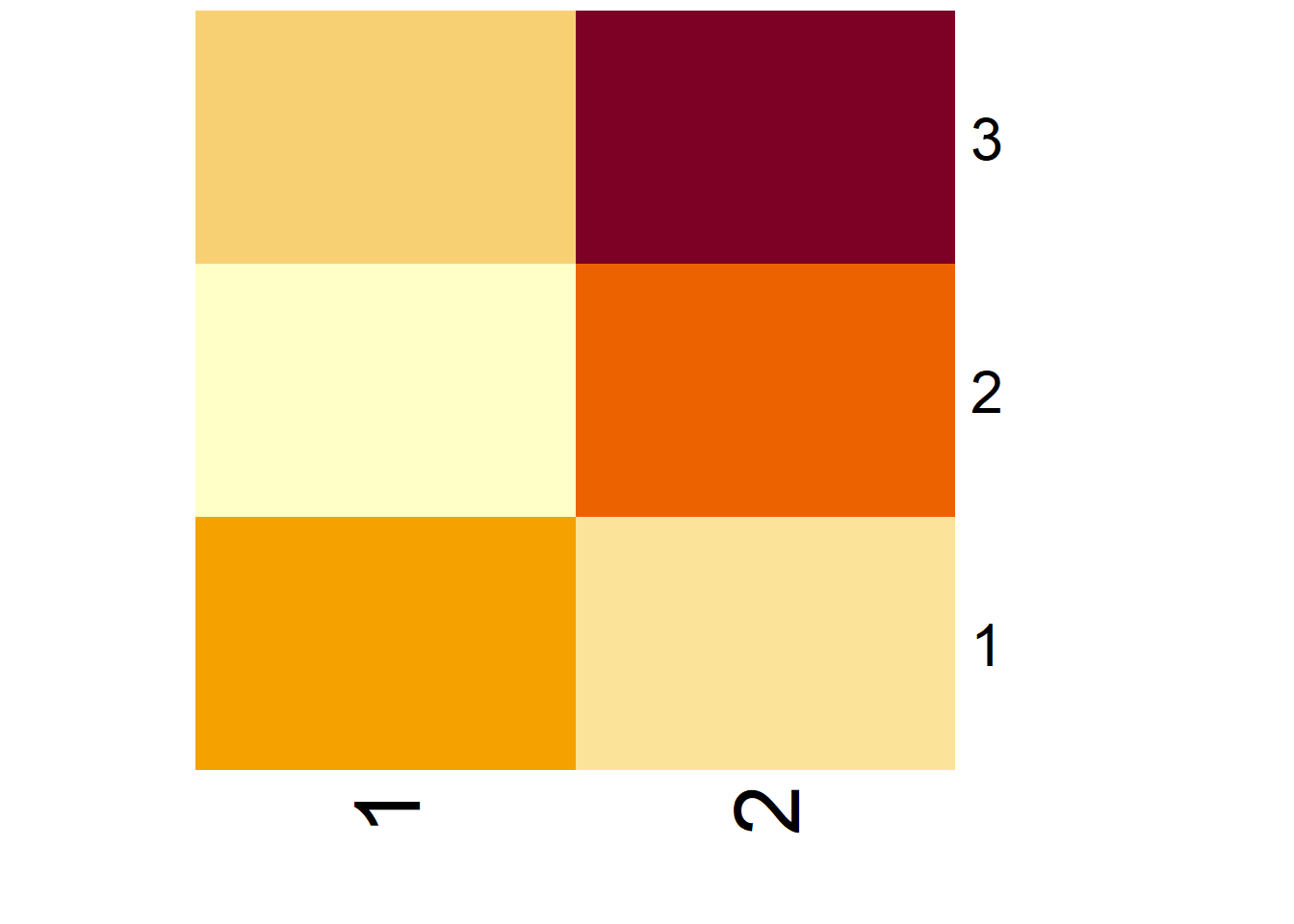
Are You Ready for More?
Take a look at the code below and think about what it’s doing.
matrix_example_3 <- matrix(
  data = c(0, 1, 0, 1, 0, 1, 0, 1, 0),
  nrow = 3,
  byrow = TRUE
)

red_blue <- colorRampPalette(
  colors = c("red", "blue")
)

heatmap(
  x = matrix_example_3,
  Rowv = NA,
  Colv = NA,
  labRow = NA,
  labCol = NA,
  scale = "none",
  col = red_blue(2)
)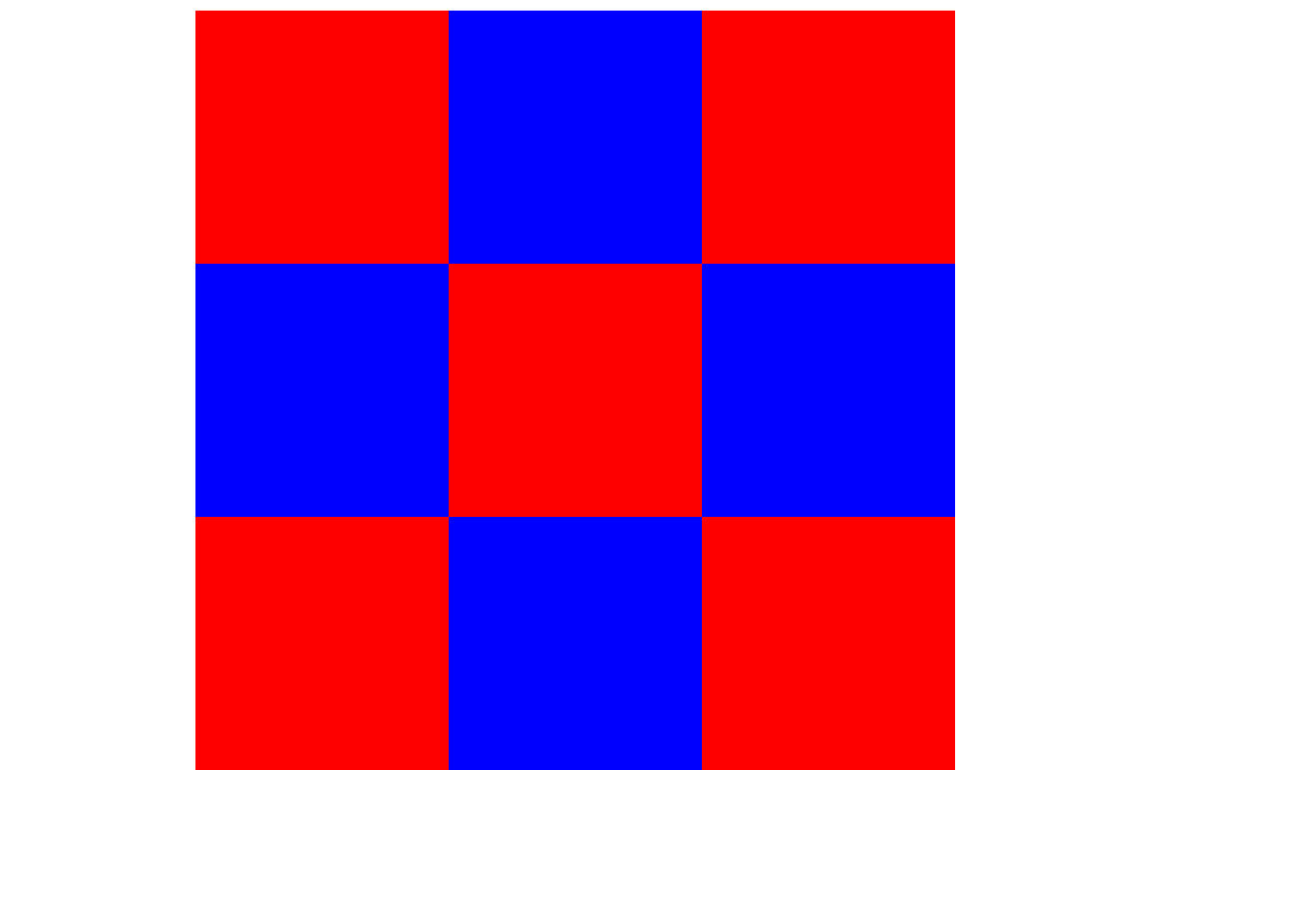
Now, using the idea from the previous code, create a chessboard pattern as a heatmap of a matrix! Your result should look similar to the example shown in Figure 3.
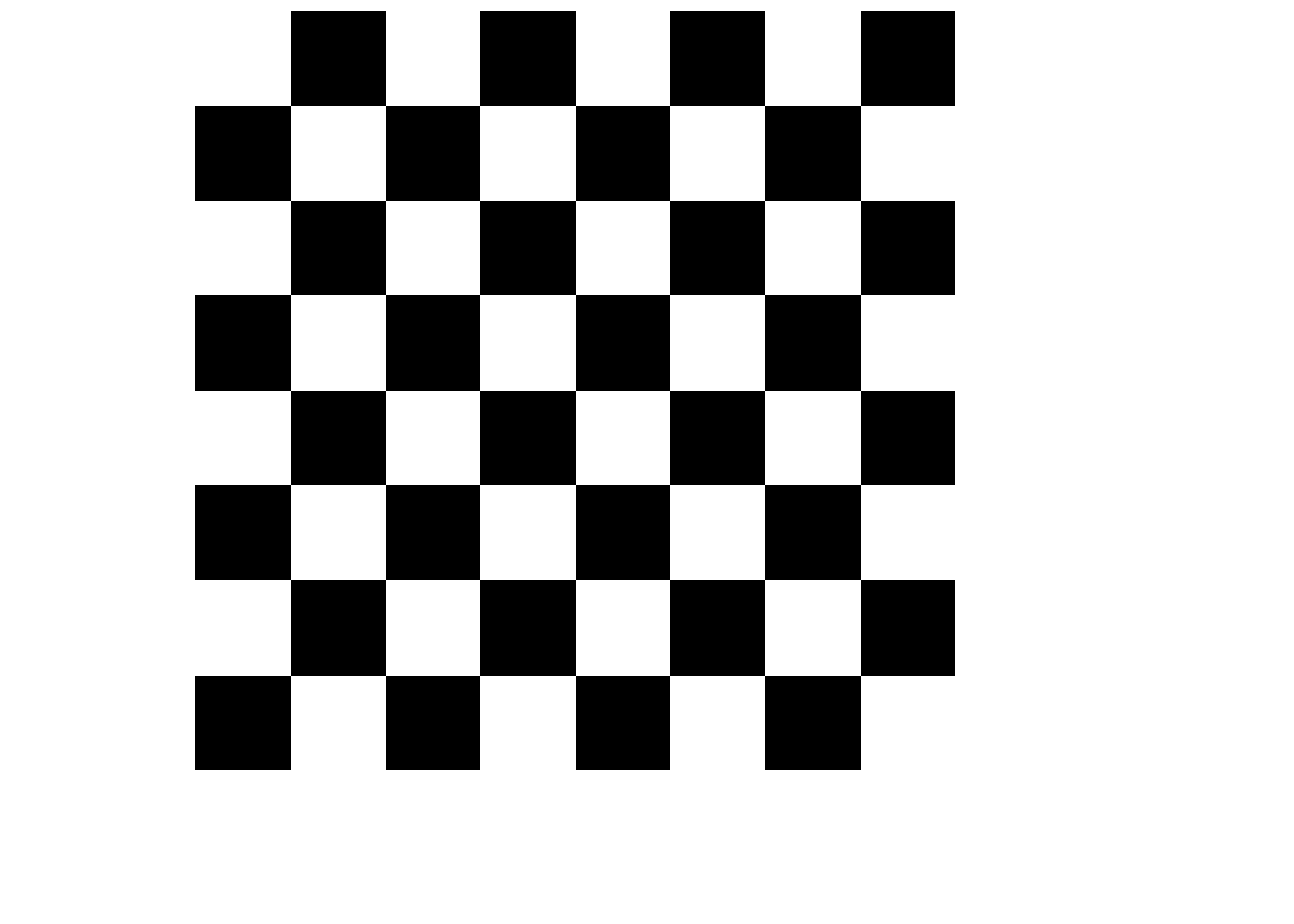
Exploring Data Representations: From Matrix to 3D Model
Heatmaps are just one way to represent a matrix. We can also create a 3D model from a matrix. Below, you’ll find three representations of the same data:
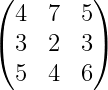
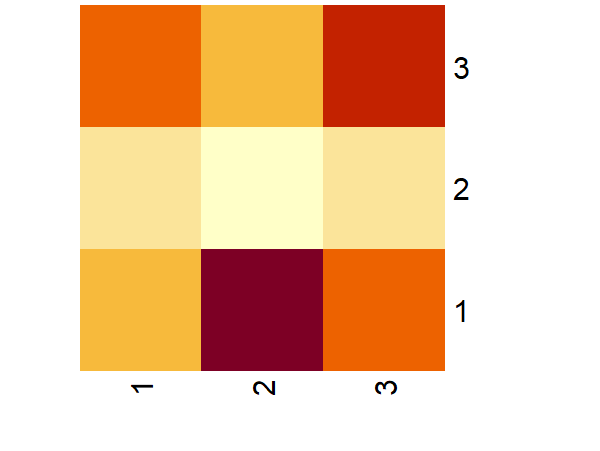
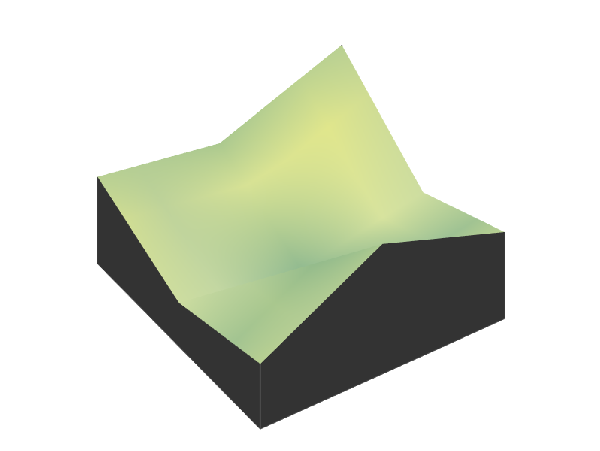
Compare and contrast these three representations. What are the strengths and weaknesses of each?
Now, focus on the 3D visualization. How would you create such a 3D model starting with a matrix? Identify the steps or processes involved.
Modeling the World: Topography with Matrices
Let’s bring matrices to life with 3D printing!
Notice and Wonder
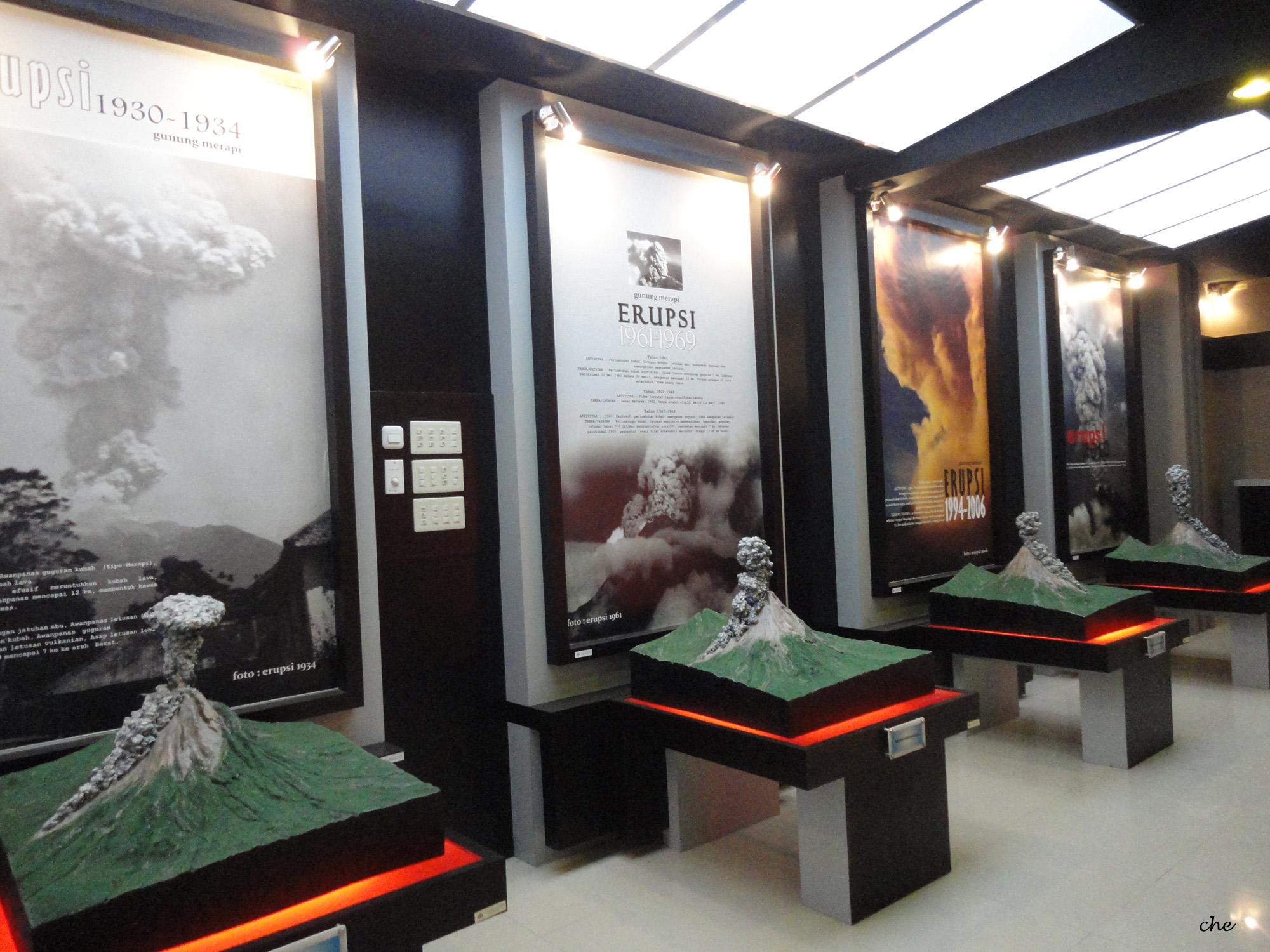
What do you notice? What do you wonder?
Summary
Matrices are a powerful tool for representing and analyzing data in a structured way. By converting elevation data into a matrix, we can visualize topographic features like mountains and valleys. In this lesson, we used matrices to represent elevation data from the Shuttle Radar Topography Mission (SRTM), and then transformed that data into a 3D model, simulating the physical features of the Earth’s surface. For example, we modeled and 3D-printed a representation of Mount Merapi, a well-known active volcano in Indonesia. The outcome of this process is shown in Figure 5.
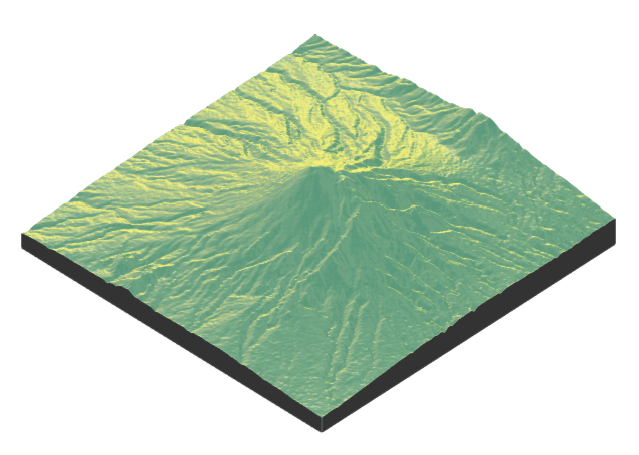
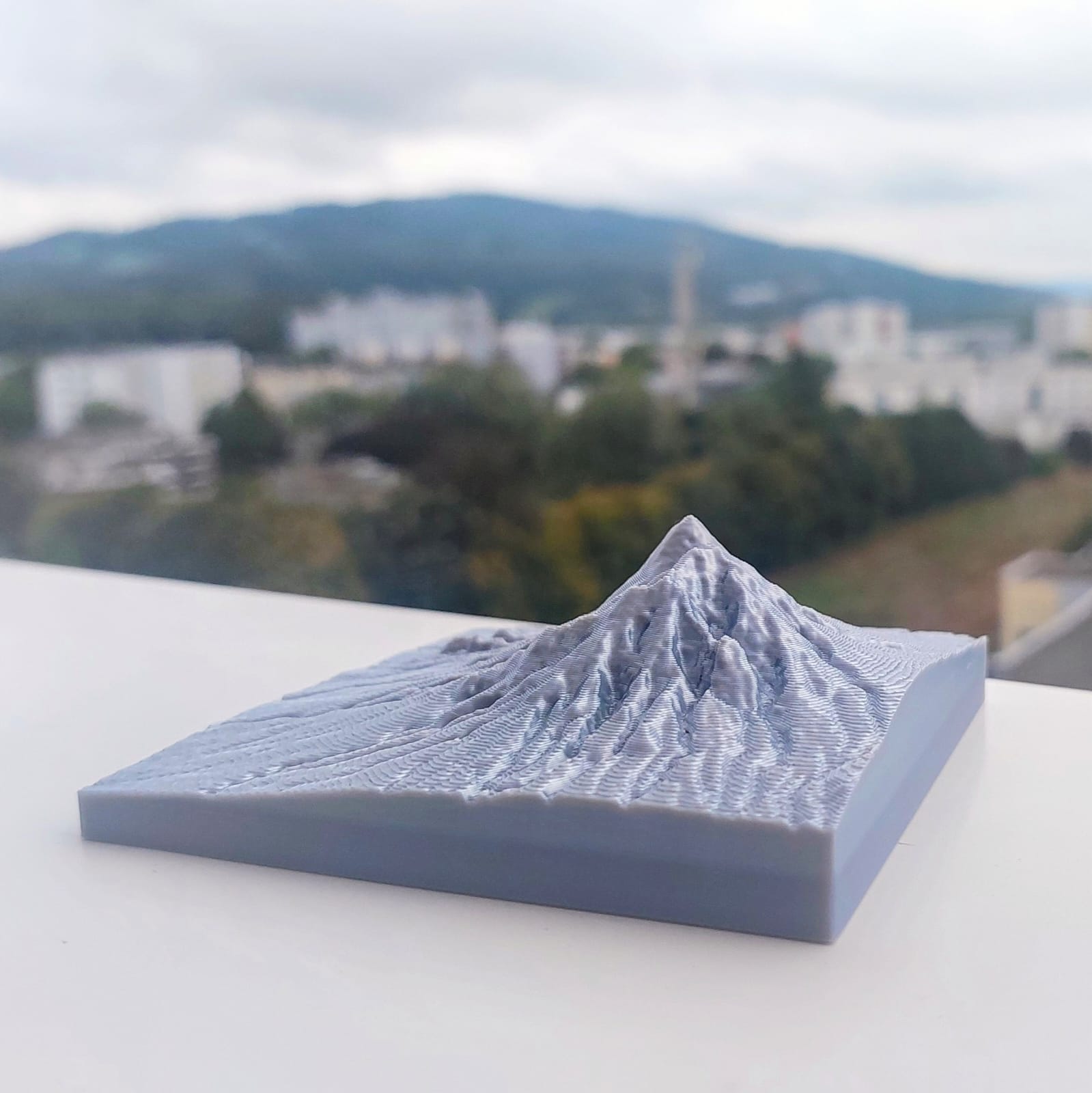
This exercise helps us see how abstract data can be turned into meaningful, real-world representations, such as terrain models, and how mathematics can be applied to understand and visualize landscapes. Through this lesson, you learned how matrices can be used to model topography and how 3D printing brings these models
-
Emma wants to know the prices of iPhones on Amazon. She surveys the prices for the 128 GB, 256 GB, and 512 GB models of the iPhone 15 Plus, iPhone 16, iPhone 16 Plus, and iPhone 16 Pro. The prices she found are as follows (in euros):
For 128 GB: iPhone 15 Plus (€919), iPhone 16 (€876), iPhone 16 Plus (€1078), iPhone 16 Pro (€1143)
For 256 GB: iPhone 15 Plus (€1037), iPhone 16 (€1055), iPhone 16 Plus (€1188), iPhone 16 Pro (€1294)
For 512 GB: iPhone 15 Plus (€1289), iPhone 16 (€1269), iPhone 16 Plus (€1354), iPhone 16 Pro (€1592)
Represent this data as a matrix!
-
In the interactive code block below, create a matrix named
matrix_iphone_pricesto store the iPhone prices for different models and storage sizes. Then, visualize the matrix as a heatmap to better understand the price differences. -
Figure 6 shows a 3D visualization of a matrix. Write down the matrix with approximate values.
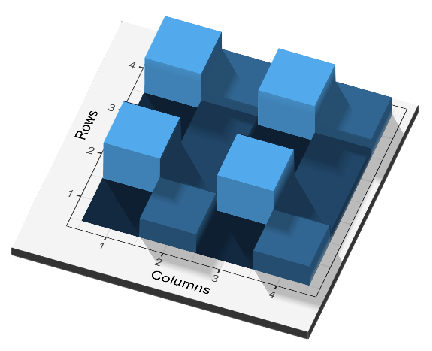
Figure 6: 3D visualization of a matrix Model the topography of your selected places and then print the 3D models!
Reuse
Copyright
© 2024 Yosep Dwi Kristanto